
Demo
Preview a sample local game.
See how PokerMeet works without an account: browse a sample game, request a seat, get approved, and preview the protected address-reveal flow before game time.
Sample screens and listings are for demonstration only; they do not represent currently available games.
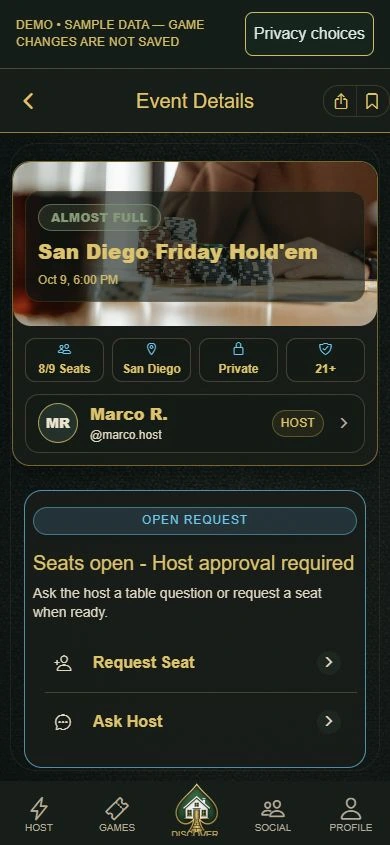

See the full player journey.
Browse
See a sample game by county and general area.
Review
Check the date, format, expectations, and available seats.
Request
See how a player asks to join a table.
Approval
Understand how hosts approve seats before sharing directions.
Address
See how exact address access requires approval, safety checks, and reveal timing.
Game night
Preview how players and hosts keep details in one place.
Browse, review, and request a sample seat.
This path shows how players find local home poker games, review the general area, and request a seat without creating an account first.
- Browse county contextSee county focus, sample game details, and trust cues before any exact address appears.
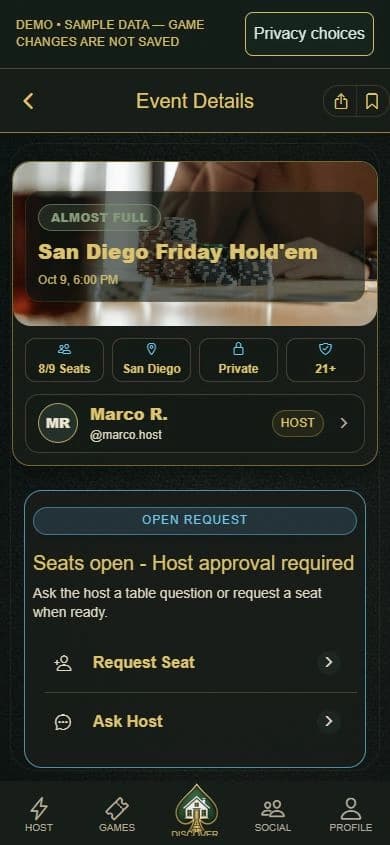
- Open Event Details safelyReview a sample game's details and general area before requesting a host-approved seat.
- Track the journeyJump from discovery into My Games so requests and approvals stay in one place.
Demo mode uses sample data only; it never touches live accounts, real rosters, or real addresses.
Not ready for the demo? See how it works or follow county updates.