
Walkthrough
See how a poker night comes together.
PokerMeet helps players find local home poker games and helps approved hosts run them safely without the group-text chaos.
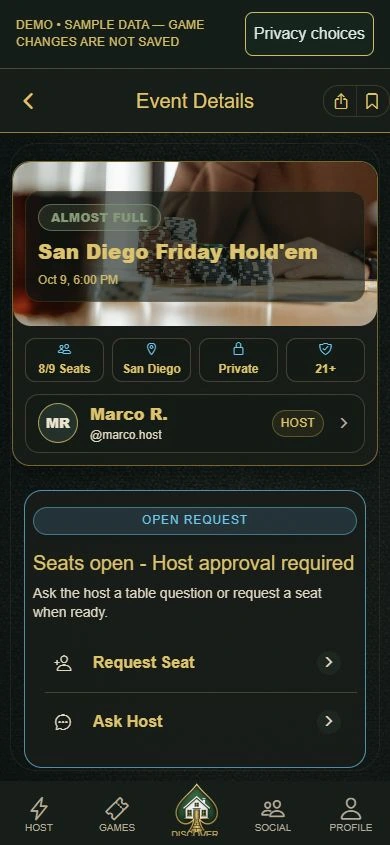
Inside PokerMeet
Follow the flow from discovery to game night.
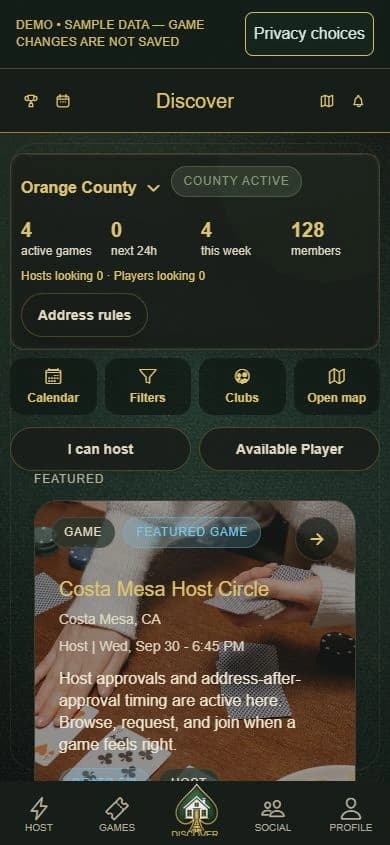
Step 1 / Discover
Check county activity
Browse county activity and game details, with the general-area map one tap away.
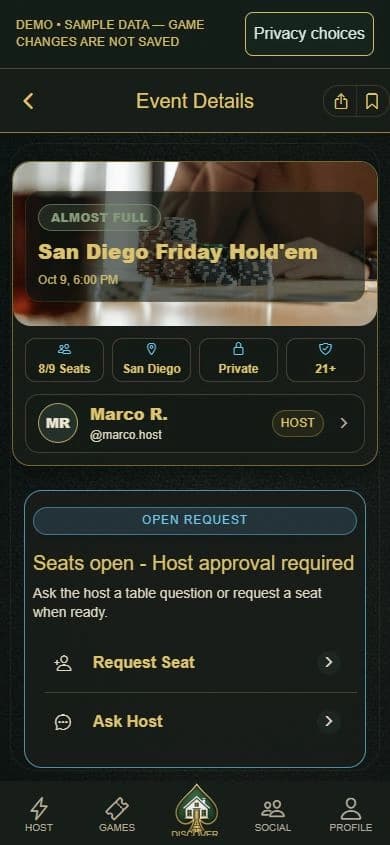
Step 2 / Review
Check the details
Review the date, format, expectations, available seats, and general area.
Step 3 / Request
Request a seat
Ask to join so the host can review who is coming to the table.
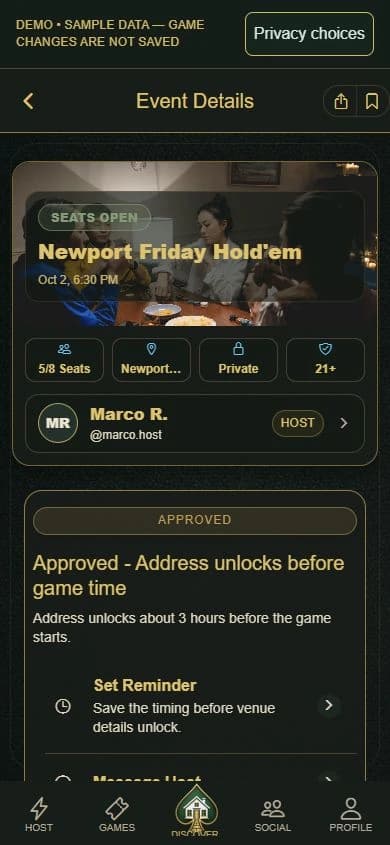
Step 4 / Approved
Know when the address unlocks
An approved seat keeps the address protected until safety checks pass and the release window opens before game time.
Step 5 / Repeat
Show up and build trust
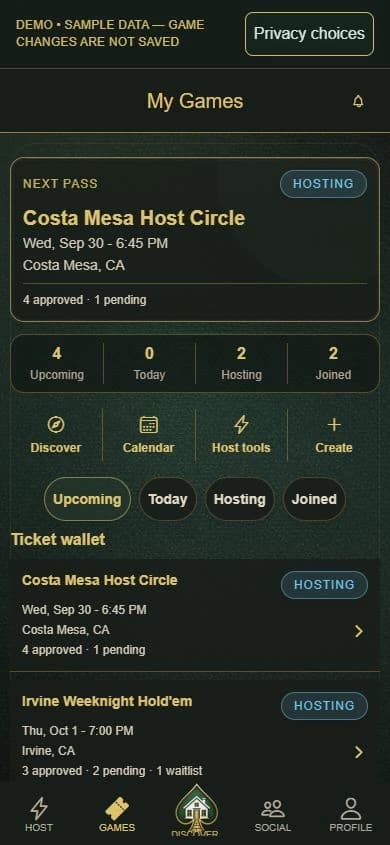
Keep requests, approvals, game-night details, and reputation in one place.
Player path
Find a friendly table near you.
Start with local home poker games in your county, review enough detail to know if the table fits, then request a seat from the host.
General area first. Gated address reveal.
Why it feels different
Built for host-approved home games.
These are the details that help players find games while keeping host control and address privacy clear.
Player privacy
Browse games by general area
See games by county and nearby area. Exact home addresses are not public.
Seat request flow
Simple seat requests and approvals
Send a quick intro and let the host decide.
Host setup
Create and duplicate events
Set up games quickly and reuse templates for recurring nights.
Roster control
Approve seat requests and manage waitlists
Stay in control of who sits at your table.
Ready?
Preview the flow, then follow your county.
The full Demo shows how PokerMeet works with sample data. County updates and host applications help us understand regional interest without promising account access or available games.